How Do Customers Choose Between Tradespeople in Google Search Results?
Customers choose between local tradespeople in seconds, using what a Google result shows: the name, rating, review count, photos, hours and whether the firm looks open and real. The business that looks safest and clearest gets the tap. Google decides the order using relevance, distance and prominence, so both need attention.
The ad at a glance
| Question | Answer |
|---|---|
| Who it is for | Owners of local service firms who appear in Google results and want to know why one listing gets the call and another does not. |
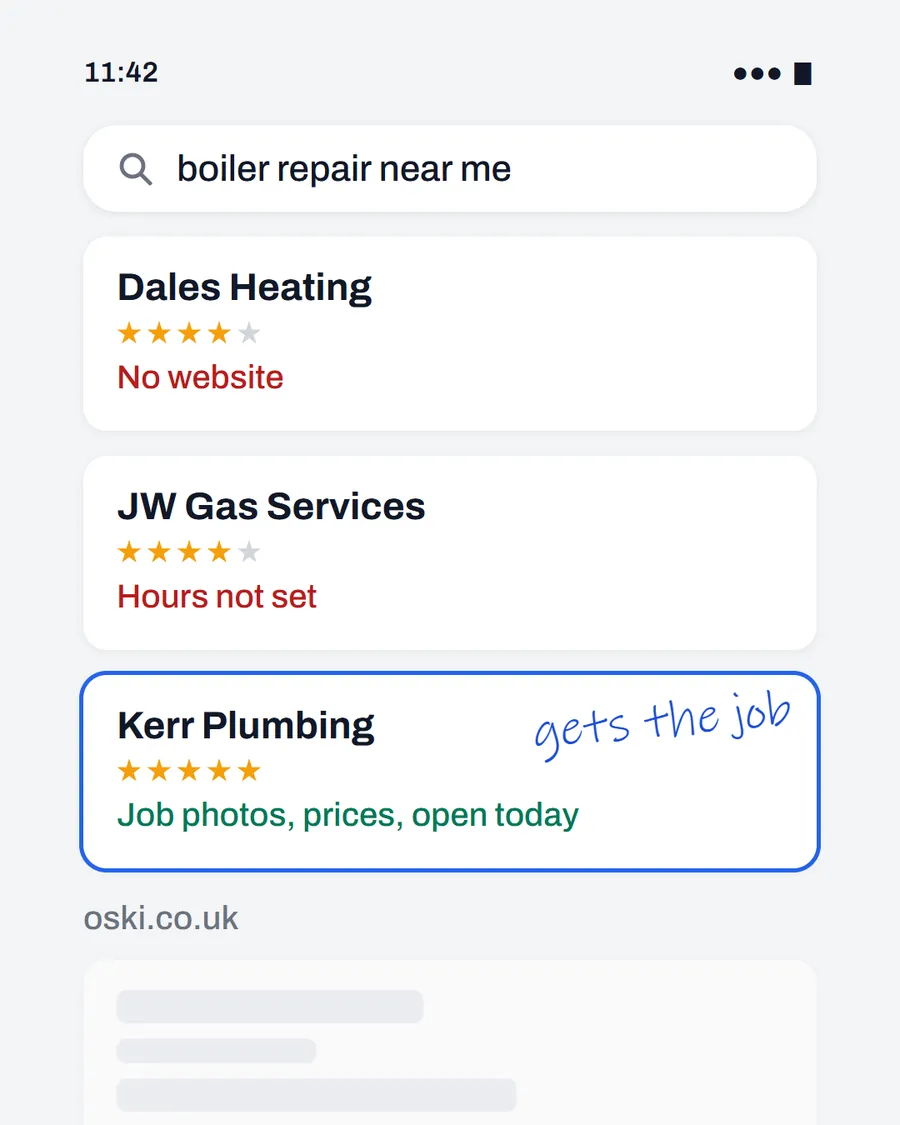
| What it shows | A phone search for "boiler repair near me" with three example results. One has no website, one has no hours set, and one shows job photos, prices and opening hours and is ringed with "gets the job" in handwriting. |
| Where it applies | Across the UK, with a focus on London and the South East, where we are based. It is aimed at small local businesses wherever customers search for them. |
| Why we published it | It shows what a customer sees in the first second, which is the only chance a listing gets to be chosen. |
What does a customer see in a local result?
On a phone, a local result shows a short block per business: the name, a star rating and review count, a few photos, a line for hours, and buttons to call or visit the website. A customer scanning three of these is doing a quick risk check. Is it real? Is it open? Does it look like it does this work?
Gaps show immediately. A listing with no photos looks abandoned. One with no opening hours leaves the customer guessing. A listing with no website link gives them nowhere to check your work. Each gap makes the next result look safer.
How does Google decide the order?
Google's local ranking help page says local results are mainly based on relevance, distance and prominence.
| Factor | What Google says | What you can do |
|---|---|---|
| Relevance | How well a profile matches what someone is searching for | Fill in complete, detailed information, including services and a clear description |
| Distance | How far the business is from the person searching | Set your address or service area correctly. You cannot move closer, but you can be accurate |
| Prominence | How well known a business is, partly based on links and reviews | Earn genuine reviews and keep your website and listings consistent |
The same page says businesses with complete and accurate information are more likely to show up in local results. That includes opening hours, which we cover in fixing wrong opening hours on Google.
Which signals decide the tap once you are on the list?
Once Google has chosen who to show, the customer chooses who to tap. The signals they use are mostly visible at a glance:
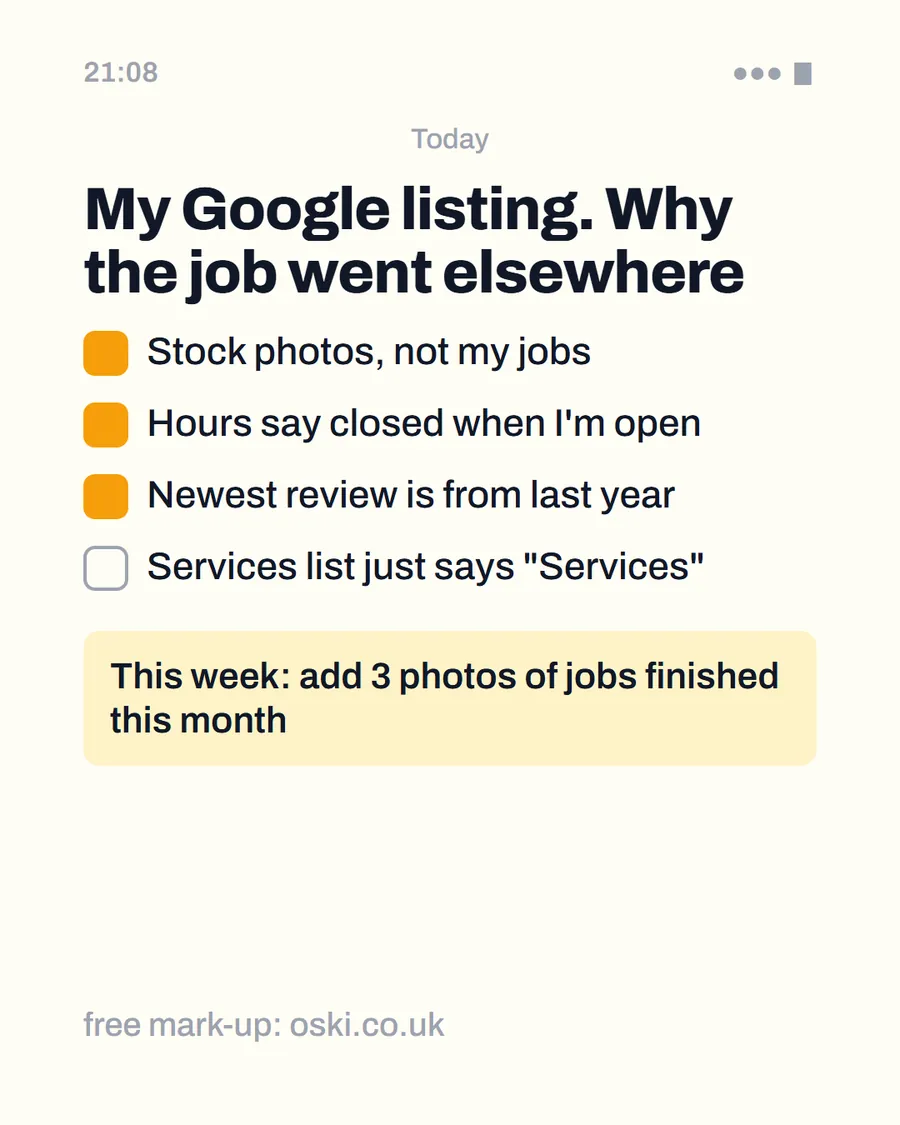
- Photos of real work. Google asks for photos that are in focus, well lit and representative of reality, so use your own.
- A recent review. The newest review tells a customer you are still working.
- Opening hours that match reality. An open-now label reassures.
- A way to check you. A website link with proof of your work.
- A phone number that works. Calls are counted by Google as taps on your call button when a phone number is on the profile.
Our Google Business Profile checklist takes you through each field.
How can you see what customers do with your listing?
Google gives verified profiles a performance report. According to its performance help page, it shows calls, directions requests and website clicks, and how many people viewed your profile on Search and Maps. It also lists the search terms people used to find you. Look at it once a month. If views are high but calls are low, the listing is being seen but not chosen, which points to the photos, reviews or hours.
What does a winning listing have that a losing one does not?
Take two example listings for a boiler engineer in the same town. The first has a name, a phone number and no photos. The second has a clear name, five recent job photos, opening hours, a short description of services and a recent review. Neither is perfect, but the second removes more doubt. In a three-way comparison, a customer picks the one that looks like it will turn up.
That is why the ad uses handwriting on one result. The firm is not necessarily better at the job. It simply gave the customer more reasons to choose it.
What can you do about distance?
Not much, and that is fine. Google describes distance as how far a business is from the person searching, and you cannot move closer to every customer. What you can do is make sure the information Google has about where you work is accurate. Enter your address or service area correctly and keep it consistent across your website and other listings, as our guide to local citations and consistent business details explains.
If you work across several towns, say so on your website in plain words and give each main area its own short section or page. That helps a customer in a neighbouring town see that you cover them, and it gives search engines clear text to match.
How do reviews affect which result gets the tap?
Reviews do two jobs. For Google, they contribute to how well known a business is, one of the three factors it names. For a customer, they are the quickest way to see whether other people were happy. A rating on its own is less persuasive than a rating with several recent written reviews that mention the type of job.
You cannot control what customers write, but you can make it easy to leave one and reply to the ones you get. A short, polite reply to every review shows you are paying attention. Our guide on replying to negative reviews covers the awkward ones, and the template for asking customers covers the rest.
What to do this week
- Search for your own trade and town on your phone and look at the first three results as a customer would.
- Note what the best-looking listing has that yours does not, such as photos, hours or a recent review.
- Add five photos of finished work to your Google listing.
- Check the hours, including bank holidays, and fix any that are wrong.
- If you want us to compare your listing with the ones above you, send us your business name and town.
Frequently asked questions
How does Google decide which local businesses to show?
Google says local results are mainly based on relevance, distance and prominence. Relevance is how well a profile matches the search, distance is how far the business is from the searcher, and prominence is how well known the business is, partly shown by reviews and links.
Can I change my position in the local results?
You cannot control it, but you can improve the things Google says it uses. Complete and accurate profile information, current hours, real photos and genuine reviews all help, and none of them can be paid for as a guarantee of position.
Why does a business with fewer reviews sometimes appear above one with more?
Because reviews are only part of prominence, and relevance and distance also count. A closer, more relevant listing can appear above a better-known one. The searcher's location and the exact words they type change the order.
What do customers look at first in a local result?
The name, rating, review count, photos and whether it says open now. They scan these quickly and tap the one that looks safest. Missing details such as no photos or no hours make a result look less trustworthy.