Is Your Phone Number Tappable on Mobile? How to Check and Fix It
If the phone number on your website cannot be tapped to call, customers on mobile have to remember it, copy it or give up. Test it by tapping the number on your own phone: if it highlights as text instead of dialling, turn it into a telephone link so one tap starts the call. It is one of the cheapest fixes a trade site can make.
The ad at a glance
| Question | Answer |
|---|---|
| Who it is for | Tradespeople whose customers mostly find them on a phone, and whose website number is plain text. |
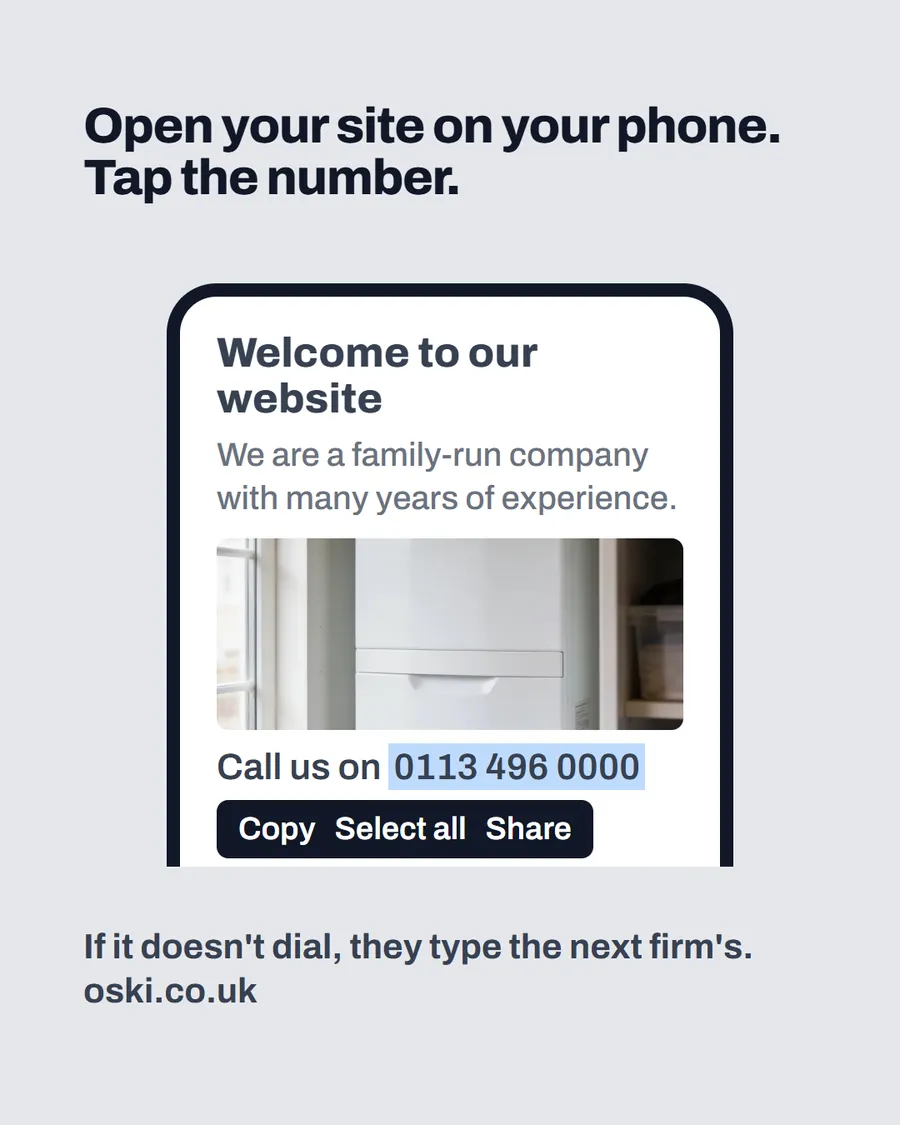
| What it shows | A phone showing a website with "Welcome to our website", a boiler photo and a number that is highlighted as selected text with copy, select all and share options, under the headline "Open your site on your phone. Tap the number." The page is an example. |
| Where it applies | Across the UK, with a focus on London and the South East, where we are based. It is aimed at small local businesses wherever customers search for them. |
| Why we published it | Owners can test this in ten seconds without any help, and the result is obvious. It is the one phone-related fix we show, because it is so easy to check. |
Why does a tappable number matter?
Because the customer is often in the middle of a problem. They are looking at a dripping tap or a dead boiler on their phone, and they want to ring. A number that dials with one tap removes every step between wanting to call and calling. A number that needs copying, switching apps and pasting adds steps, and each step is a chance to give up and try the next firm.
It also signals care. A business that has made its number tappable has thought about the visitor on a phone, which many customers will be. Our post on how customers compare two websites shows how small details like this decide a close choice.
How do you test your own number?
Do this on your phone, not a laptop:
- Open your website in your phone's browser.
- Find the phone number on the homepage.
- Tap it once.
- See what happens.
If the phone offers to call, or starts dialling, the number is a link. If the number highlights as text and a menu appears with copy and select options, it is not. Repeat on your contact page, your footer and any button that says "Call".
What is a telephone link, in plain English?
A telephone link is a link that starts with tel: followed by the number, instead of a web address. MDN's documentation on links says that the behaviour of tel: links varies with device capabilities: cellular devices autodial the number, other operating systems may open a calling program, and some browsers can save the number to contacts or send it to another device.
You do not need to write the code yourself. Most website builders let you highlight the number, choose "link" and pick "phone" or enter tel: followed by the number. Ask whoever built your site, and confirm the result by tapping the number on your phone afterwards.
What mistakes make a number untappable?
- The number is inside an image. A picture of a number cannot be tapped or read aloud by a screen reader.
- The number is plain text. It looks fine but does nothing.
- There are spaces or brackets that break the link. The visible text can have spaces, but the link itself should be a clean number.
- The link has the wrong number. Test it after every change to your number.
- The number sits only in the footer. Visitors rarely scroll that far on a phone.
Fix each one individually and test again.
Where should the call button go?
At the top of the homepage, where it shows without scrolling, with the words "Call now" or the number itself. Add it again in the footer, on your contact page and on each service page. Many trade sites also keep a call button visible as the page scrolls on a phone, so it is always one tap away.
Pair the number with a second route, such as a short form or WhatsApp, for people who prefer not to ring. Our guide to contact forms explains how to make that second route work.
What should happen when someone calls?
That is the other half of the fix. A tappable number only helps if someone answers. Decide who picks up, during which hours and what happens to calls you miss. A missed-call text such as "Sorry we missed you, we will ring back within the hour" is better than silence, and a voicemail greeting that gives your name and a promise to return calls sets expectations. Our post on what missed calls cost a small business goes into how to deal with that side.
How do you test on different phones?
Phones differ, so test on more than one if you can. Try an iPhone and an Android handset, and use both the built-in browser and another browser such as Chrome. Ask a friend or family member to try on theirs, because their settings may differ from yours. Note what each one does when the number is tapped: it should offer to call, or start dialling.
Also try it with your phone on mobile data, not just Wi-Fi, since a slow connection can make a page behave differently. If the number works on one device and not another, tell whoever built your site and ask them to look at the link itself.
What about WhatsApp and text links?
If you use WhatsApp or text messages for customer enquiries, you can add links for those as well. They work in a similar way to a telephone link: the customer taps and the right app opens. Only add them if you check them every day, because a message left unread is worse than no option. Keep the phone number as your main route, and add one extra route at most, so the page does not turn into a list of choices.
Ask your developer to set up each link and test it on your phone before it goes live.
What to do this week
- Open your website on your phone and tap the number on the homepage, the footer and the contact page.
- If any of them do not dial, ask your web developer or use your site builder to change them to telephone links.
- Add a call button at the very top of the homepage.
- Test again on your phone, and ask a friend to try on theirs.
- If you would like us to check your website for this and similar problems, send us your web address.
Frequently asked questions
How do I make a phone number clickable on my website?
Use a telephone link, which starts with tel: and the number, so a phone dials when it is tapped. If your site uses a builder or template, there is usually a 'link to phone' option, or a developer can add it in minutes.
How can I check if my number is tappable?
Open your website on your phone and tap the number. If it dials, or offers to call, it is a link. If it just highlights as text with copy and select options, it is not.
Does a tappable number help on a desktop computer?
It depends on the device. MDN notes that telephone links behave differently by device: cellular devices autodial, and computers may open a calling app or offer to save the number. The main benefit is on mobile.
Where should the call button go?
At the top of the homepage, where it is visible without scrolling, and again in the footer and on your contact page. On phones, many trades also keep a call button visible as the page scrolls.