How to Use Photos of Your Work to Get More Jobs
Photos of finished jobs are the cheapest proof a tradesperson has, and the best ones are probably already in your camera roll. Pick the strongest five from this month, check they are in focus and well lit, ask the customer's permission, then put them on your Google listing, your homepage and your next post.
The ad at a glance
| Question | Answer |
|---|---|
| Who it is for | Plumbers, builders, roofers, decorators, electricians and fitters whose phones hold hundreds of finished-job photos that no customer ever sees. |
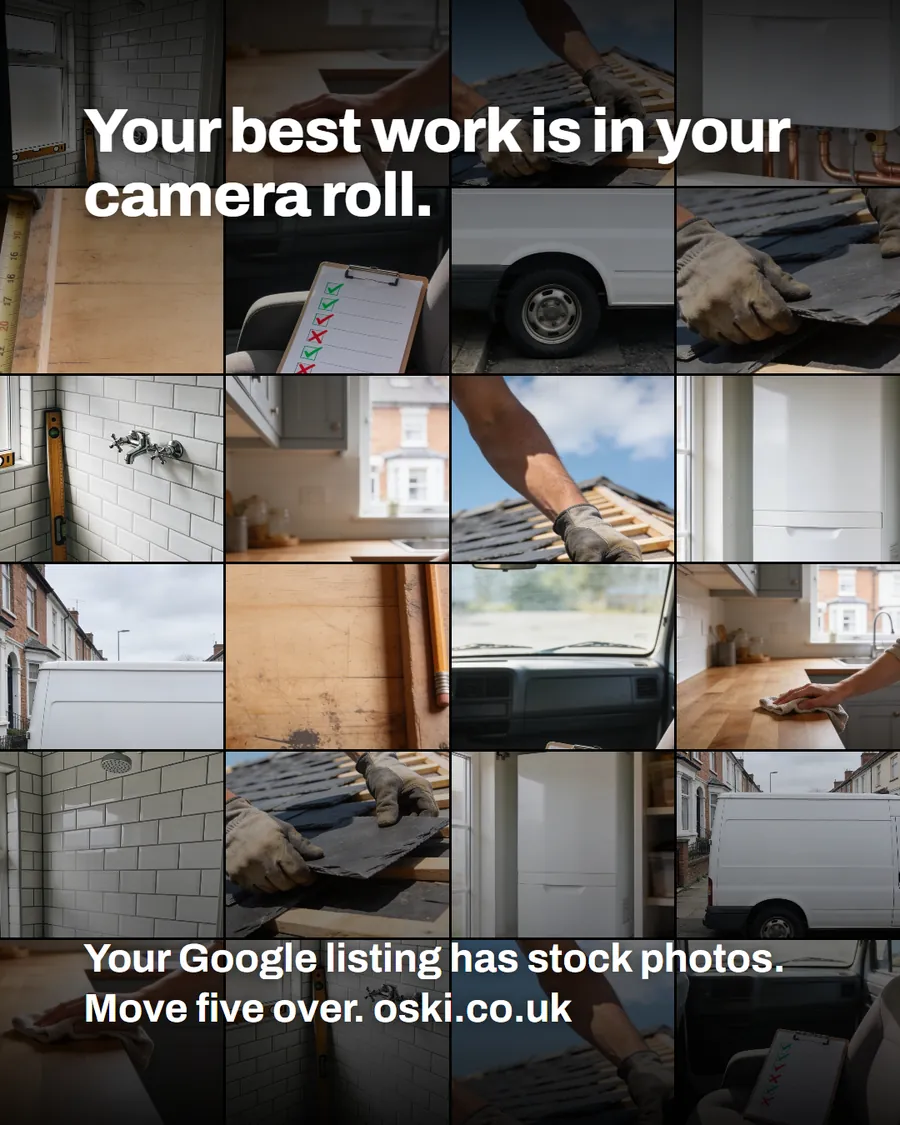
| What it shows | A phone camera roll made of job photos: tiles, copper pipework, a kitchen worktop, slates on a roof. The headline reads "Your best work is in your camera roll." |
| Where it applies | Across the UK, with a focus on London and the South East, where we are based. It is aimed at small local businesses wherever customers search for them. |
| Why we published it | The proof customers want already exists. It is just on the wrong device. Moving five photos takes ten minutes and costs nothing. |
Why do photos of real jobs work better than anything else?
Because they answer the question every customer is asking: can this person do the work well? A logo, a slogan or a stock picture cannot answer that. A photo of a tidy, finished bathroom can, and it does it without a single claim you would need to defend.
Photos also do something words cannot. They let a customer picture the result in their own home. Someone choosing between two firms will often look at the photos first and read the text second, which is why we cover the comparison in our post on how customers compare two tradespeople's websites.
Which photos should you pick?
Open your camera roll and filter to the last month. Choose photos that pass these checks:
- The work is the subject. One finished tiled wall, one boiler, one roof section. Not a messy room with a result somewhere in the corner.
- It is in focus and well lit. Google's photo guidance asks for photos that are in focus and well lit, with no significant alterations or excessive use of filters.
- It looks like your standard of work. Clean edges, tidy site, tools put away.
- It shows a range. One bathroom, one kitchen, one outdoor job. Variety shows the customer you handle their kind of problem.
- It would pass the customer's permission test. No faces, no house numbers, no number plates.
If you can, add a before and an after of the same job. Together they tell the story in two seconds.
Where should you put the photos?
Put the same handful of photos in four places, in this order of priority.
| Place | How many | What to write with them |
|---|---|---|
| Google Business Profile | Five to start | Nothing needed, but add new ones after each job |
| Homepage | Three, near the top | A one-line caption: job type and town |
| Service pages | One or two each | What was done and how long it took |
| Facebook and Instagram | One finished job a week | Two lines: what the customer asked for, what you did |
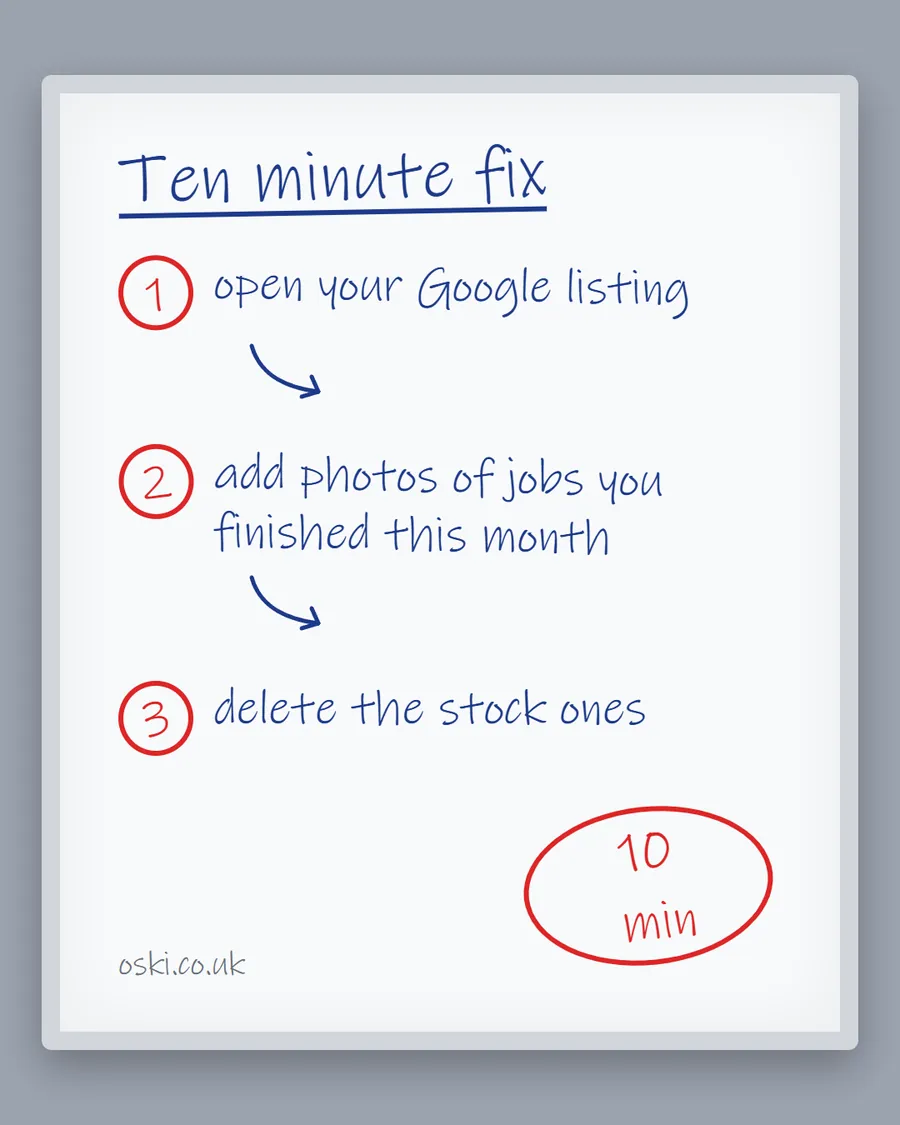
Our ten-minute Google listing fix shows the Google step by step, and the social media guide for tradespeople covers the posting side.
How should you name and describe the photos on your website?
Search engines cannot see a photo. They read the file name, the alt text and the words around it. Google's image guidance recommends short, descriptive file names rather than generic ones like image1.jpg, informative alt text, and placing images near relevant text on the page.
For a photo of a new combi boiler in Leeds, that means:
- File name:
combi-boiler-installation-leeds.jpg - Alt text: "Newly installed combi boiler with copper pipework in a utility cupboard, Leeds"
- Nearby text: the heading or caption describing the job
Write alt text the way you would describe the photo to someone on the phone. Do not stuff it with keywords.
What should you do about privacy?
Ask the customer before you post anything taken inside or outside their home, and keep identifying details out of shot: faces, house numbers, street signs, number plates and personal items. A quick text is enough: "Mind if I use a photo of the finished bathroom, with no faces or address?" Most people say yes. If someone says no, choose a different job.
Keep a note of who agreed and when. It takes thirty seconds and saves an awkward conversation later.
What makes a good before and after pair?
A before and after only works if the two photos look like the same place. Stand in the same spot, hold the phone at the same height and keep a fixed point in both frames, such as a window, a door frame or a radiator. The customer's eye then does the comparison for you.
Plan it at the start of the job, not the end. Take the "before" before you move a single thing, because once the old fittings are out you cannot go back. Use daylight both times, and do not crop one photo tighter than the other. If the before shot shows personal belongings, move them or take the photo from a different angle.
Add a caption that says what the job was and where: "Bathroom refit, Croydon". That one line tells a visitor the type of work, the area and that it is recent.
How often should you add new photos?
After every job, ideally, with a simple habit: before you pack the tools, take one photo of the finished work. It takes less than a minute and means there is always a fresh image to use.
If that is too much, set a ten-minute slot on Friday afternoons to sort the week's photos. Delete the blurry ones, choose the best two and add them to your Google listing. Customers notice when the newest photo is a year old, and a listing with recent photos looks like a firm that is busy and still trading.
What if your work is not very photogenic?
Plenty of trades do work that is hidden behind a wall. Electricians, drainage engineers and heating installers can still show proof:
- Tidy, labelled work. A neatly labelled consumer unit or tidy pipework looks professional.
- The process. A photo of the van outside the job, or of you at work with protective covers down, shows care.
- Certificates and paperwork. A photo of a completed certificate with the customer's details hidden shows you finish the job properly.
- The result in use. A radiator that is now warm, a light fitting that works, a drain that runs clear.
You are not trying to win a photography prize. You are showing a customer that the work is neat and that you would treat their home with the same care.
What to do this week
- Open your camera roll and filter to the last thirty days.
- Pick five photos of finished work that are in focus, well lit and free of faces and house numbers.
- Text the customers for permission where the photo was taken at their property.
- Add the five photos to your Google Business Profile and one to your homepage.
- Rename the website files and write one sentence of alt text for each.
- If you want us to check how it looks to a customer, send us your web address and we will mark it up for you.
Frequently asked questions
How many photos should a tradesperson put on their Google listing?
Start with five good ones from recent jobs and add more as you finish work. Quality matters more than quantity. A handful of clear, recent photos of real jobs beats fifty blurry or old ones.
Do I need a professional photographer for job photos?
No. A modern phone in daylight is enough if the photo is in focus, well lit and shows the finished work clearly. Clean up the area before you take it and hold the phone level.
Can I post photos of a customer's home?
Ask for permission first, and keep faces, house numbers, number plates and anything personal out of the shot. If the customer says no, use a photo that shows the work without the setting.
Should I use filters on job photos?
Avoid them. Google's guidance asks for photos that are in focus and well lit with no excessive filters, and says images should represent reality. Customers also notice when a photo looks nothing like the finished job.