Stock Photos on a Trades Website: Why Customers Don't Trust Them
Stock photos on a trades website cost trust because customers recognise them and cannot learn anything from them. A smiling engineer shaking hands in a hallway tells a visitor nothing about your work. Replace the biggest stock photo on your homepage with a real photo of a finished job, and you give them proof instead of decoration.

The ad at a glance
| Question | Answer |
|---|---|
| Who it is for | Tradespeople and small local firms whose homepage opens with a generic photo of a smiling person in a hi-vis vest. |
| What it shows | A deliberately over-polished stock photo of an engineer shaking a customer's hand on a stock-library download card, under the headline "Who is he, and why is he on your homepage?" The photo is generated for the ad, not taken from a real stock library or a real person. |
| Where it applies | Across the UK, with a focus on London and the South East, where we are based. It is aimed at small local businesses wherever customers search for them. |
| Why we published it | It is the quickest way to make an owner look at their own homepage and ask whether the main picture says anything about them. |
Why do customers distrust stock photos?
Because they have seen them before. The same hand-shake, the same laptop on a desk and the same team around a table appear on thousands of unrelated sites. Once a visitor spots one, the page stops looking like a business with its own people and starts looking like a template.
The second problem is that a stock photo carries no information. A customer reading a plumber's homepage is trying to answer: will they turn up, will they tidy up and is the work good? A photo of strangers answers none of that. A photo of a finished bathroom answers all three.
What does Google say about photos on a business profile?
Google's photo guidance for Business Profiles says a photo should be in focus and well lit, without significant alterations or excessive use of filters, and that "the image should represent reality". It does not discuss stock photos by name, but the principle is clear: your photos should show your actual business. Customers apply the same rule to your website.
How do you spot stock photos on your own site?
Go through the homepage and every service page, and ask three questions of each image:
- Is this my work, my van, my team or my premises? If not, it is decoration.
- Would a customer learn anything about my standard of work from it? If not, it is not proof.
- Could any other firm use the same image without changing it? If yes, they probably do.
A quick reverse image search in your browser will tell you whether a photo appears all over the web.
What should you put in their place?
| Instead of | Use |
|---|---|
| Handshake in a hallway | A finished job with the customer's permission, no faces or house numbers |
| Smiling team around a laptop | You, or whoever turns up, in front of the van |
| Generic tools on a bench | Your own tools on your own bench |
| Abstract house outline | A photo of a street or job you cover, with the town in the caption |
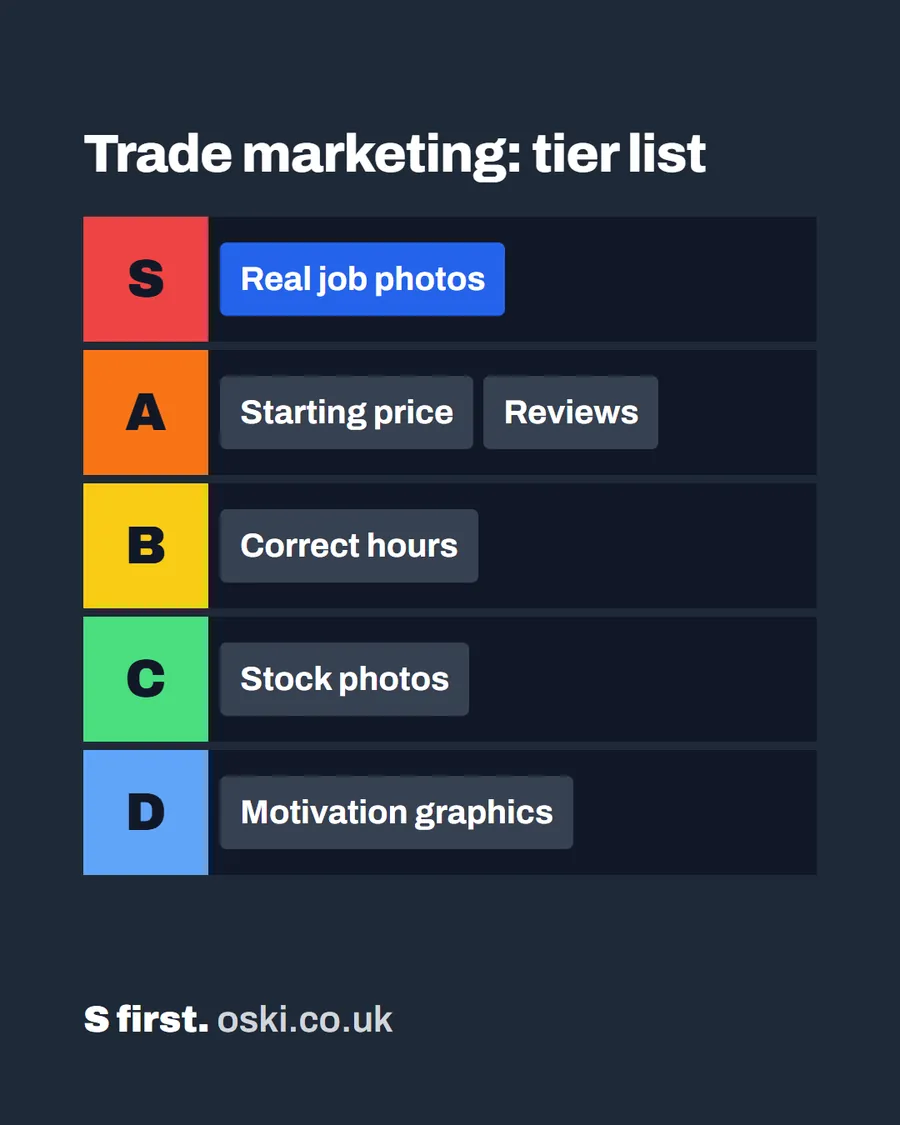
If you have no photos yet, make a start with your phone. Our post on using photos of your work covers which to pick and how to ask permission, and what matters most on a tradesperson's website ranks the other elements.
How do you swap them without breaking the design?
Replace one image at a time, starting with the largest one at the top. Keep the same shape as the old photo so the layout holds. Rename the file to describe the job and write alt text that says what the picture shows, as Google's image guidance recommends. Check the page on a phone afterwards, because crops can cut off the part that matters.
Are there times when stock photos are fine?
Yes, when the image is plainly decorative. A soft background texture behind a heading is not asking to be believed. The trouble starts when a stock photo sits where proof should be: at the top of the homepage, next to your name, or captioned as if it were your team.
What does it cost you to use real photos instead?
Less than you think. The cost is a few minutes after each job and a short text to the customer. There is no photographer to book, no licence to pay for and nothing to renew each year.
The harder part is the habit. Most owners finish a job, load the van and drive off, and the photo never gets taken. Put "photo" on your own end-of-job checklist, next to "tidy up" and "invoice". Then there is always something real to use.
How should you caption real photos?
A good caption is a short sentence that says what the job was and where. "New shower room, Croydon" is enough. It tells the customer the kind of work, the area you cover and that the photo is genuine. It also gives search engines words to connect the picture with the page, as Google's guidance suggests when it says to place images near relevant text.
Avoid captions that sound like adverts, such as "Quality workmanship you can trust". The photo should do that job, and the caption should simply describe what is in it.
What if you have no photos at all yet?
Start with what you have: your van, your tools laid out tidily, a finished job from your phone's history, and a photo of you. If you cannot face a photo of yourself, a picture of your hands at work still reads as a real person.
Until you have enough, use one or two real photos and plain text instead of a full stock gallery. A page with two genuine pictures looks more trustworthy than a page with ten borrowed ones. You can add more each week, and within a month the page will look very different.
What to do this week
- Open your homepage and find the largest photo.
- Run a reverse image search on it. If it shows up on other sites, it goes.
- Take a photo of a finished job this week, in daylight, and swap it in.
- Do the same for the first image on your two busiest service pages.
- If you want a second opinion on the whole page, send us the address and we will mark it up.
Frequently asked questions
Are stock photos bad for a small business website?
They are fine for decoration, such as an abstract background, but poor as proof. A customer choosing a tradesperson wants to see your work and your team. A generic stock photo tells them nothing about either, and often tells them you have not got your own.
What can I use instead of stock photos?
Photos of your own finished jobs, your van, your tools and, if you are comfortable with it, you at work. A phone photo in daylight is better than a polished image of strangers.
Do stock photos affect Google rankings?
Google does not penalise stock photos as such. Its guidance asks for photos that represent reality, and the real benefit of replacing them is that customers trust the page and ring you. We would not promise a ranking change from swapping a photo.
How can I tell if my photos are stock?
Right-click a photo and search for it with a reverse image search in your browser. If the same picture appears on lots of unrelated sites, it is stock and your customers may well have seen it before.